


Showing posts with label Messenger. Show all posts
Showing posts with label Messenger. Show all posts
Love Windows Live Messenger? Here's how you can bring it back

Microsoft recently killed off Windows Live Messenger in favor of Skype, leaving many of us without years' worth of chat logs or the familiarity that MSN brings. Skype, while good, doesn't have the same stability as MSN and adds a lot of unwanted clutter. Microsoft have blocked MSN from working for many users, but some new software from a Microsoft MVP allows you to bring back Messenger in a few simple steps.
Messenger Reviver 2 is a free piece of software that installs, repairs and modifies Windows Live Messenger '08, '09, '11 and '12 to allow them to sign in, despite Microsoft's block. Currently, when you access Messenger you're prompted to "install the newer version in order to continue," but Reviver installs a patch that allows WLM to continue to be used.

To bypass this message, download Messenger Reviver 2. The programme makes changes to your computer, so grant it the relevant levels of access. (A zipped version of the program is also available to bypass security software blocking). The software runs on Windows XP through to Windows 8 and .NET framework version 2.0 or higher, though .NET 3.5 or 4 is recommended.
Once downloaded, a window will pop-up that looks like this:
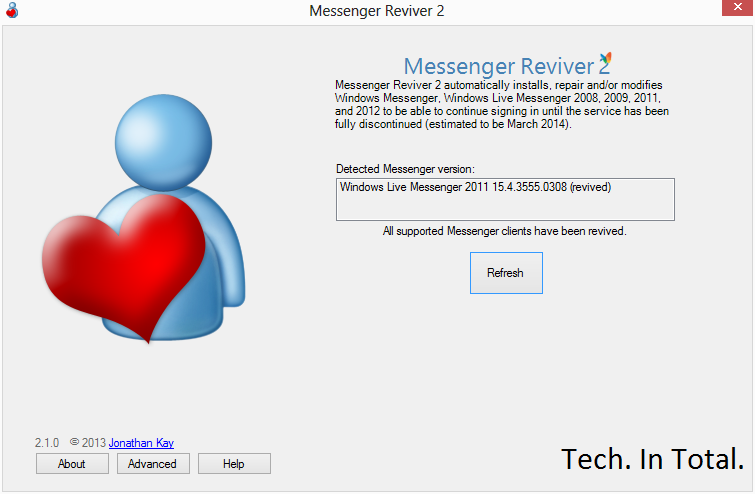
Click "Start" and the program will automatically modify Messenger and restart it. If Windows Live Essentials is not installed, Reviver will offer the option to install the software. If Essentials is installed, but Skype has removed it, Reviver offers the ability to re-install it:

If you no longer have Windows Live Messenger on your system don't worry, we've got you covered.
Download: Windows Live Messenger 2012 (offline installer)
View: More information can be found here
Facebook Messenger Mixes Your Facebook Inbox with Group SMS, So You Can Get a Hold of Just About Anyone

iOS/Android/Mobile: Facebook just released a new app for iPhone and Android, which mixes SMS messages and Facebook messaging into a "group messaging" solution for your phone.
Similar to Google+'s Huddle feature, Facebook Messenger aims to be a cross-platform "group texting" app, similar to BlackBerry Messenger or iOS' Messages. Instead of being tied to your phone's platform, though, it's tied to your Facebook account and inbox. Essentially, it's Facebook's Messages feature bundled up into its own app, plus SMS features.
When you start a new message and type someone's name in the "To" field, it will show you the results of your search. Some will have a phone icon next to their name, meaning they'll be sent an SMS message to their phone. Contacts that don't have their numbers on Facebook but who's numbers you have in your address book will give you a choice: you can send the message to their phone, or their Facebook account. Anyone else will be sent the message on Facebook. You can send images and attach your location to the messages, as well. It seems like a valid group messaging option considering almost everyone you know is probably on Facebook, and this is an easier way to get a hold of everyone without having to resort to Facebook messaging for each person.
Facebook Messenger is a separate download from the official Facebook app, and is available on iOS, Android, and non-smartphones using Facebook Mobile. Hit the link below to try it out, and check out Facebook's blog post for more information.
Popular Posts
-
 It's been about three years since Microsoft unveiled a new version of Office, and particularly with Windows 8 just months away from ...
-
 There's general agreement that Sony stumbled out of the gate with the PlayStation 3. Months of intense hype were followed by a la...
-
 Latest Windows Phone 8 rumor suggests that current Windows Phone devices will receive the update Microsoft has yet to come forward wi...
-
Microsoft is holding an invitation-only press event in San Francisco today at which it is expected to debut the next version of its...
-
 Gaming & Gadgets Microsoft kick-started the "next-generation" of gaming on November 22, 2005, when the company release...

